If you've shipped a game or released an app, you know the audio problem well. Music licensing costs money, custom composers cost more, and royalty-free libraries give you the same 40 tracks everyone else has already used. Stable Audio 2.5 for game and app soundtracks changes the math entirely. A single text prompt generates a full music clip, royalty-free, in seconds. No DAW experience needed. No negotiating licensing terms. Just a description of what you want, and an audio file that fits your scene.
What Stable Audio 2.5 Actually Is
Stable Audio 2.5 is a text-to-audio model built by Stability AI. It takes a text description and produces music clips of up to 3 minutes, with instrumentation, rhythm, and atmosphere that match the prompt. The model was trained on a large licensed audio dataset, so output is royalty-free for commercial use.
It handles genres, tempos, instruments, and mood descriptors in natural language. You don't need to know music theory to use it effectively. "Tense cinematic strings building toward a boss fight climax, 120 BPM, minor key, no drums" produces exactly that. The model interprets musical vocabulary even when your prompt mixes casual language with technical terms.

From text prompt to audio clip
The workflow is simple. You write a prompt describing the sound you want, choose a duration, and the model generates a waveform. Most clips take 10 to 30 seconds to generate depending on length. You get a downloadable file, ready to drop into your game engine or app.
The model handles:
- Instrumentation: piano, orchestra, synth, guitar, bass, drums, and hundreds of combinations
- Mood and energy: tense, peaceful, playful, melancholic, epic, ambient
- Genre specificity: lo-fi hip-hop, orchestral fantasy, dark ambient, chiptune, cinematic trailer
- Tempo control: describe BPM directly or use relative terms like "slow" and "upbeat"
- Duration: specify seconds or minutes in the prompt itself
What changed from the previous version
Stable Audio 2.5 improves on its predecessor in three concrete ways. First, audio quality at higher durations is more coherent. Older versions sometimes drifted in tone or instrumentation after the 30-second mark. Version 2.5 maintains better musical consistency across the full clip length.
Second, prompt adherence is sharper. When you say "no percussion" in the previous version, you might still get subtle rhythmic elements sneaking in. Version 2.5 respects negative constraints more reliably, which matters a lot for ambient game audio where clean, percussion-free loops are essential.
Third, the model handles layered instrument descriptions better. "Layered cellos with solo violin countermelody over a sparse piano base" used to produce muddy results. Now the individual layers are more distinct in the output.
Why Indie Developers Are Switching to AI Audio
The indie game development space has a persistent problem: teams of one to five people need production-quality everything. Art, programming, writing, and audio all compete for the same limited budget. Audio almost always loses that competition, which is why so many indie games ship with generic background loops or no music at all.

The real cost of traditional game music
Hiring a composer for a small indie game typically costs between $500 and $5,000 depending on scope. For a 30-minute game with five distinct zones, that's potentially 10 to 20 unique tracks. Even at the low end, you're looking at thousands of dollars and a multi-week production timeline.
Royalty-free libraries solve the budget problem but introduce a new one: discoverability. Tracks that were good enough to license tend to appear in dozens of other projects. Players notice, and the effect is immersion-breaking. "This is the same loop I heard in that Unity tutorial project" is not a reaction you want.
The math on AI audio: At $0 per generation or a flat monthly subscription, you can iterate through 50 different versions of a theme to find the one that fits. That iteration freedom doesn't exist with commissioned work.
Speed is the actual advantage
The real differentiator isn't cost. It's the ability to iterate in real-time during development. When you're tuning the pacing of a boss fight, you can generate five different intensity levels of music, drop each one into the scene, and immediately know which one works. That feedback loop would take weeks with a human composer.
For app development, the speed advantage is even sharper. A meditation app might need 12 different ambient tracks for different session types. A fitness app might need tracks at different energy levels. Generating all of them in an afternoon versus scheduling a recording session is a clear operational win.
Generating Soundtracks for Different Game Genres
Genre is the most important variable in game audio. A platformer and a survival horror game both need looping background music, but they need completely different emotional registers. Here's how Stable Audio 2.5 handles each major genre.
Fantasy and RPG scores
Fantasy game music relies heavily on orchestral instrumentation. The model handles this well when you're specific about the ensemble. Rather than "fantasy music," try:
- "Sweeping orchestral overworld theme, French horns and strings, major key, 80 BPM, adventurous and hopeful, suitable for looping"
- "Dark dungeon ambient, low cellos, distant choir, sparse piano notes, minor key, slow tempo, tense atmosphere"
- "Medieval tavern scene, lute and flute melody, warm and lively, moderate tempo, folk influence"
The model distinguishes between these sub-genres reliably. Tavern music and throne room music need different weights of instrumentation, and the model picks up on those implied differences from context.

Horror and tension music
Horror game audio is where Stable Audio 2.5 genuinely shines. Tension music is compositionally simple but emotionally precise, and the model handles the subtlety well. The key is describing the emotional state of the player, not just the genre.
- "Psychological horror ambient, high violin harmonics, distant metallic scrapes, irregular breathing sounds, no melody, building dread"
- "Jump scare sting, sudden orchestral stab, full brass and percussion, 1.5 seconds"
- "Survival horror loop, low-frequency drone, sparse dissonant piano chords, silence gaps, oppressive atmosphere"
One thing to note: horror audio often works best with shorter clips that loop seamlessly. Specify "suitable for seamless looping" in your prompt, and the model tends to produce clips with smoother start and end points.
Platformer and casual games
For casual games and platformers, the tone shifts toward playful, energetic, and bright. The model handles this range well:
| Game Type | Example Prompt Elements |
|---|
| Retro platformer | "Chiptune melody, bright arpeggios, 140 BPM, upbeat, 8-bit aesthetic" |
| Casual puzzle | "Light piano loop, gentle marimba accents, friendly and relaxed, 70 BPM" |
| Runner game | "Driving electronic beat, synth bass, 128 BPM, energetic and forward-moving" |
| Cozy sim | "Acoustic guitar and soft piano, warm and calm, pastoral feel, no percussion" |

App Soundtracks Are a Different Problem
Game audio runs in loops. App audio is more varied. A meditation app needs long-form ambient tracks. A workout app needs high-energy music that peaks at certain moments. A productivity app might need something barely noticeable. Each use case requires a different production approach.
Background music for mobile apps
The biggest challenge with app background music is avoiding cognitive competition. If your app requires focus, the music can't demand attention. Stable Audio 2.5 produces genuinely non-intrusive ambient audio when you describe it correctly:
- "Binaural ambient soundscape, soft sine tones, gentle nature sounds, no melody, focus-enhancing, 60-minute suitable"
- "Lo-fi study beats, vinyl crackle, slow hip-hop rhythm, mellow piano chords, 75 BPM"
- "White noise with subtle rain and cafe ambience, no music, for sleep or focus"
The last example is interesting because the model can generate non-musical audio as well as music. For wellness and productivity apps, soundscapes are often more useful than conventional tracks.

Short clips for UI events
App audio goes beyond background tracks. Notification sounds, success tones, error alerts, and transition cues all contribute to the feel of a polished product. Stable Audio 2.5 generates these short clips effectively when you specify duration:
- "Success chime, 0.8 seconds, bright and positive, single piano note with gentle reverb"
- "Error notification, 0.5 seconds, soft descending two-note tone, not harsh"
- "Level up sound, 1.5 seconds, ascending arpeggio with sparkle effect, satisfying and rewarding"
These short-form clips often require more iteration than longer tracks. The model sometimes produces clips that feel too aggressive or too soft for their intended function. Generating 4 to 5 variations and comparing them in context is the standard workflow.
Tip: For notification sounds, add "mono" to your prompt if you want compatibility with older devices or low-quality speakers. Stereo width can muddy short transients on small speakers.
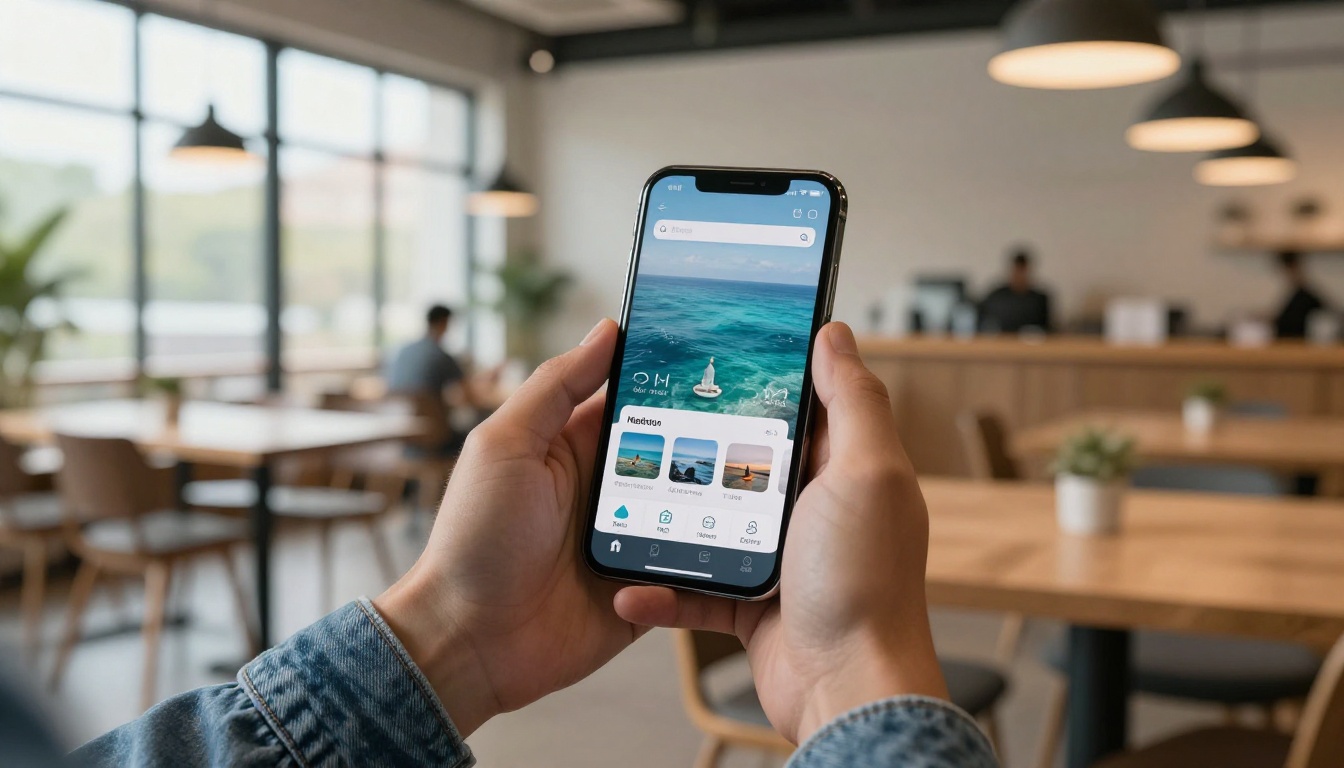
How to Use Stable Audio 2.5 on PicassoIA
Stable Audio 2.5 is available directly on PicassoIA with no setup required. Here's the full workflow from first visit to downloaded audio file.
Step-by-step workflow
Step 1. Go to the Stable Audio 2.5 model page on PicassoIA. No account required to preview, but you'll need to log in to generate.
Step 2. Write your prompt in the text field. Be specific about instrumentation, tempo, mood, and duration. A good starting point is 30 to 60 words.
Step 3. Set the duration. For looping game tracks, 60 to 90 seconds gives you a comfortable loop length. For ambient app music, 3 minutes is more practical.
Step 4. Click generate and wait. Most clips take 15 to 30 seconds to produce.
Step 5. Listen to the preview. If the instrumentation or energy level is off, adjust the prompt and regenerate. Iteration is fast enough that you can test 10 variations in 10 minutes.
Step 6. Download the audio file in WAV format. Drop it directly into your Unity, Unreal, or Godot project, or into your app's audio asset folder.
Prompt structure that works
The most effective prompt format for game and app audio follows this pattern:
[Genre/Type] + [Instrumentation] + [Mood/Energy] + [Tempo] + [Duration/Loop needs] + [Negative constraints]
Example: "Orchestral fantasy battle theme, brass section with driving percussion and solo violin, heroic and intense, 130 BPM, 60 seconds, suitable for looping, no choir"
The negative constraints at the end are often the most important part. If your game has a specific tonal palette, ruling out conflicting elements prevents the model from making choices you'll have to fix in post.
PicassoIA hosts several AI music generation models, each with distinct strengths. Here's an honest comparison for game and app audio use cases:
| Model | Best For | Strengths | Limitations |
|---|
| Stable Audio 2.5 | Game/app soundtracks | Long clips, precise prompt control | Less suited for songs with lyrics |
| MiniMax Music 2.6 | Full songs with vocals | Vocal quality, song structure | Less control over pure instrumental texture |
| Google Lyria 3 Pro | Professional music production | High audio fidelity, dynamic range | Better for full tracks than short loops |
| ElevenLabs Music | Quick music sketches | Fast generation, easy interface | Limited long-form coherence |
| MiniMax Music 2.5 | Vocal song creation | Full-length song generation | Not optimized for instrumental loops |
| Google Lyria 3 | Diverse music styles | Wide genre range, good structure | Prompt adherence less precise |
For pure instrumental background audio in games and apps, Stable Audio 2.5 is the most purpose-built option. The other models excel when vocal elements or full-song structure matter more.
4 Mistakes That Produce Generic Audio
Even with a good model, you can end up with audio that sounds like every other AI-generated track. These four patterns are the most common causes.
Vague genre labels without context
"Epic music" and "fantasy music" are almost meaningless as prompts. Every AI music model has a default interpretation of those labels, and it's usually something generic and overproduced. Add context about the specific scenario:
- Weak: "Epic fantasy music"
- Strong: "Slow-building orchestral piece, solo French horn opening, full orchestra joins at 30 seconds, swelling strings and brass, suitable for a kingdom-reveal moment in an RPG"
The additional context gives the model something specific to aim for rather than defaulting to its statistical average of "epic."
Ignoring tempo and duration
Duration mismatches are common. A 45-second loop that cuts awkwardly is worse than no music. Specify both the duration you want and whether it needs to loop seamlessly. For very short loops under 30 seconds, mention that the start and end should match tonally.
Tempo specification prevents another common issue: energy mismatches. A boss fight loop at 70 BPM will feel sluggish no matter how good the instrumentation is. Specify BPM ranges that match the gameplay action speed.
Skipping iteration
The temptation is to generate one clip, decide it's close enough, and move on. Resist this. The gap between "close enough" and "actually good" in game audio is significant enough to affect how players experience your game. Three to five iterations on each major track is a reasonable minimum.
Over-prompting with conflicting requirements
Adding too many simultaneous requirements creates conflicting constraints the model can't resolve. "Fast and slow, tense but relaxing, orchestral but minimal, with and without percussion" produces incoherent results. Decide on one emotional register per track, then generate separate variations if you need contrast.
Create Your Own Soundtrack Right Now
You don't need a composer, a recording studio, or a licensing budget to ship your game or app with a proper soundtrack. Stable Audio 2.5 on PicassoIA handles that entirely from a text description.
Start with the zone or scene that needs audio most urgently. Write a 30-word prompt, generate five variations, pick the best one, iterate twice, and you'll have a track that fits your project better than anything from a generic library.
PicassoIA also hosts Google Lyria 3 Pro, MiniMax Music 2.6, and ElevenLabs Music for when your project needs full songs, vocal tracks, or a different production style. Every AI music generation tool on the platform is accessible from one account, so you can switch between models depending on what each scene demands.
The audio problem for indie games and apps has a practical solution. The only thing left is to write your first prompt.


