A hands-on look at how GPT-5.6 performs on real production codebases. Examines API setup, context window behavior, code review at scale, refactoring legacy code, test generation, and a direct comparison with competing models like Claude Sonnet 5, Grok 4, and Deepseek R1 available on PicassoIA.
You've probably already tested a capable LLM on a handful of isolated functions. A clean utility, a simple class, maybe a React component with no external dependencies. Those demos always look impressive. But a production codebase is a different animal entirely: it has circular dependencies, undocumented edge cases baked into business logic, modules written by people who no longer work at the company, and tests that technically pass but don't actually test what they claim to.
Putting GPT-5.6 to work on a real codebase means throwing it into that mess and seeing what survives. This article is a practical account of exactly that, written after running three GPT-5.6 variants against a 140,000-line TypeScript and Python monorepo over several weeks.
What GPT-5.6 Actually Brings
The GPT-5.6 generation is not a single model. It ships as three distinct variants, each tuned for a specific cost-performance point. If you walk in expecting a single API endpoint that handles everything, you'll be disappointed immediately. Knowing which variant to call and when is the first real skill to build.
Context Window That Swallows Whole Files
The flagship difference in GPT-5.6 is the context window. At 256k tokens for the higher-tier variants, you can load an entire service module, its type definitions, its tests, and its import chain in a single prompt without truncating anything. That sounds like a small detail until you've spent time manually chunking a 3,000-line file across multiple API calls, stitching outputs together, and debugging the seams where the model forgot what it said 8,000 tokens ago.
With a context large enough to hold real files, certain tasks change character. A refactor suggestion no longer has to guess what the rest of the file looks like. A test audit can see every test alongside the source function it covers. A dependency trace can follow imports without you constructing a manual breadcrumb trail in the prompt.
This does not mean "send everything at once and hope." Prompt structure still matters enormously. But it does mean the ceiling on what you can ask without heroic prompt engineering has risen significantly.
GPT 5.6 Luna is the variant you wire into your editor extension. The latency is low enough that it doesn't disrupt flow. GPT 5.6 Terra sits in the middle: capable enough for serious tasks, fast enough that you're not watching a spinner for 30 seconds. GPT 5.6 Sol is where you go for the hard problems: tracing an obscure bug across five services, generating an accurate architectural diagram from source, or reasoning about a refactor that touches 40 files.
The cost difference between Luna and Sol is substantial, and using Sol for everything is how API bills grow unexpectedly fast.
Setting Up GPT-5.6 Against a Real Repo
Getting the API running takes about ten minutes. The harder problem is building the scaffolding that makes API calls actually useful at codebase scale.
API Rate Limits and Chunking Strategy
Even with a large context window, you will hit rate limits during heavy batch operations. A few patterns that work in practice:
File-scoped calls: Send one module per call instead of the full repository. This keeps individual request sizes predictable and makes it trivial to parallelize.
Summary caching: Run a cheap GPT 5.6 Luna call to summarize each module once. Cache those summaries. Use them as context in more expensive GPT 5.6 Sol calls without re-sending the full source.
Retry with exponential backoff: Rate limit errors are transient. A simple retry wrapper with 2-4-8 second delays handles the vast majority without manual intervention.
The chunking question matters most for refactors. If you are asking the model to rename a type across an entire codebase, you need to chunk by file, run each chunk, and apply the patches programmatically. Asking for a global rename in a single prompt and hoping the model stays consistent across 80 files is not a reliable strategy.
Choosing the Right Variant for the Task
A practical routing decision tree:
Is this a quick autocomplete or a short inline suggestion? Use GPT 5.6 Luna.
Is this a new feature draft or documentation generation? Use GPT 5.6 Terra.
Is this a complex bug trace, an architecture question, or a multi-file refactor plan? Use GPT 5.6 Sol.
Routing correctly from the start avoids a significant portion of unnecessary API spend and speeds up your iteration cycle.
Where GPT-5.6 Earns Its Place
Not every claim made about LLMs in software development holds up under real conditions. Some do. Here is where GPT-5.6 genuinely delivers in a production codebase.
Code Review at Scale
GPT-5.6 is genuinely useful for code review when you give it the right scope. The pattern that works: send the full diff of a pull request plus the relevant source files that the diff touches. Ask for specific review categories rather than a generic "review this code."
Effective review prompts focus on:
Edge case identification: "List every input condition where this function could panic or produce incorrect output."
Type safety gaps: "Find every place where a type assertion is made without a corresponding guard."
Pattern consistency: "This codebase uses the repository pattern for data access. Does this PR deviate from that pattern anywhere?"
💡 Tip: Prompt specificity is everything. "Review this code" produces generic output. "List every place this function mutates its input argument" produces something you can act on immediately.
On a batch of 30 pull requests reviewed over one week, GPT 5.6 Sol surfaced 14 issues that human reviewers had already marked as approved. Seven of those were legitimate bugs, three were performance regressions, and four were documentation inconsistencies. The false positive rate was around 20%, meaning about one in five flagged items required a human judgment call to dismiss.
Refactoring Legacy Code
This is the use case with the highest leverage and the highest risk. GPT-5.6 can take a 500-line class with tangled responsibilities and produce a thoughtful decomposition proposal in under a minute. The proposals are often structurally sound. The risk is in trusting the output without verifying it against the actual call sites.
The safe pattern for refactoring with GPT-5.6:
Ask the model for a refactoring plan, not the refactored code.
Review the plan and identify which call sites it does not have visibility into.
Provide those call sites as additional context and ask the model to revise.
Only then generate the refactored code.
Run your full test suite. Treat red output as the primary signal, not the model's stated confidence.
Skipping step four and trusting the model's confidence about its own output is where most LLM-assisted refactors go wrong.
Writing Tests from Scratch
For new code that needs test coverage, GPT-5.6 is the fastest path to a working test file. Given the source function and the type signatures of its dependencies, it produces well-structured tests with realistic edge cases in most cases.
The quality varies by function complexity. Pure functions with no side effects: excellent test output, almost always usable directly. Functions with mocked dependencies: good structure, occasional type errors in the mock setup that need manual correction. Functions that depend on database state or external services: the test structure is useful but the fixtures are frequently wrong and need heavy editing.
A reasonable expectation is that GPT 5.6 Terra cuts test-writing time by 50-60% for most developers when used correctly. It does not eliminate the need to read and verify every test it produces.
Where It Still Falls Short
Knowing where GPT-5.6 fails is as useful as knowing where it succeeds.
Hallucinated Imports and Dependencies
GPT-5.6 hallucinates library imports at a rate that is inconvenient but not catastrophic. The hallucinations tend to fall into two patterns:
Plausible-but-wrong package names: The model invents a package that does not exist, or uses an old name for a package that was renamed in a major version.
Wrong version assumptions: It imports a function that was removed in a recent update, or uses a parameter signature from an older API version than what your project pins.
The fix is simple but requires discipline: always run a package.json or requirements.txt check against whatever the model imports before executing generated code. A quick grep for any import the model added that does not appear in your lock file catches 90% of these problems before they waste your time.
Consistency Across Long Files
When you send a large file to GPT-5.6 and ask for changes in multiple places, the model sometimes introduces inconsistencies between sections. It might rename a variable in the function body but not in the JSDoc comment above it, or change an error handling pattern in one branch but leave the old pattern in a sibling branch.
This is not a failure of reasoning. It is a consequence of token-level generation in a very long context where attention to earlier sections decays. The practical solution: break multi-location changes into separate calls, one change per prompt. It is slower but the output quality is significantly more consistent, and you can verify each change individually before applying the next.
GPT-5.6 vs Other Coding LLMs
GPT-5.6 is not the only capable model for software development tasks. The LLM landscape in mid-2026 is genuinely competitive, and no single model wins across every category.
Claude Sonnet 5 is GPT-5.6's closest competitor on coding tasks. It produces fewer hallucinated imports and handles long-file consistency better in most cases. Grok 4 has a smaller context ceiling but reasons well about algorithmic complexity, making it worth using when you need to evaluate the performance profile of a function. Deepseek R1 earns its place for reasoning-heavy tasks where you want chain-of-thought output before committing to a solution.
The honest answer is that rotating between models based on task type beats betting on a single model for everything. GPT-5.6 Sol wins on raw code reasoning power. Claude Sonnet 5 wins on consistency and documentation quality. Kimi K2 Instruct is worth including for speed-sensitive inline tasks.
Using LLMs on PicassoIA for Coding
PicassoIA provides direct access to all three GPT-5.6 variants alongside the full competitive landscape of coding-capable LLMs. This means you can run GPT 5.6 Luna for fast iteration on a feature, switch to GPT 5.6 Sol when you hit an architectural question, and compare the output against Claude Sonnet 5 or Claude Fable 5 without switching platforms or managing multiple API credentials.
GPT-5.6 Luna for Fast Iterations
GPT 5.6 Luna is designed for low-latency tasks where you need a response in under two seconds. In a coding workflow, that means inline completions, quick explanations of a function's behavior, and fast type signature checks. On PicassoIA, it is available without rate restrictions during standard usage, making it practical for high-volume in-editor workflows.
Specific tasks where Luna earns its speed advantage:
Auto-completing a function signature from its docstring
Explaining a cryptic regular expression in plain language
Generating a quick unit test for a pure function before moving to the next task
Translating a Python snippet to TypeScript while maintaining type safety
GPT-5.6 Sol for Complex Reasoning
GPT 5.6 Sol is where you invest more time in prompt construction because the task justifies it. On PicassoIA, Sol runs the same model weights available via direct API access. There is no quality penalty compared to hitting the endpoint directly.
Use cases that warrant Sol's reasoning depth:
Tracing a race condition across an async codebase
Designing a migration plan for a database schema change that affects 15 tables
Producing a security audit of an authentication module with detailed reasoning for each flagged pattern
Planning an API breaking change with backward-compatibility analysis
For models that sit between Luna and Sol in capability profile, Granite 8B Code Instruct 128K is worth evaluating for its 128k code-specific training. It performs well at repository-level tasks where the primary requirement is following a consistent coding convention across a long file.
Building a Prompt Workflow That Holds Up
Tactical LLM use is fine for one-off tasks. If you want GPT-5.6 integrated into a team workflow, you need prompt infrastructure: reusable templates, version-controlled system prompts, and clear conventions for which model handles which task type.
Prompt Templates for Code Tasks
The most durable prompt patterns for coding tasks follow this structure:
Role: You are a senior {language} engineer reviewing production code.
Context: {file_content}
Constraint: {specific_rule}
Task: {specific_ask}
Output format: Numbered list. Each item: LINE NUMBER, ISSUE TYPE, EXPLANATION, SUGGESTED FIX
The Output format field has a disproportionate effect on usability. When the model knows it must produce a numbered list with a specific schema, the output is directly parseable by a script that creates GitHub comments, Jira tickets, or Slack notifications. Unstructured prose is harder to integrate and more likely to be skipped in practice.
Store these templates in the repository itself, versioned alongside the code. That way any team member can improve a prompt via a normal pull request, and you get a natural audit trail of what worked and what did not.
💡 Tip: Pin your template version alongside the model name in your CI config. A prompt upgrade should be a deliberate, reviewed change, not something that silently shifts behavior on every run.
Plugging Into Your CI Pipeline
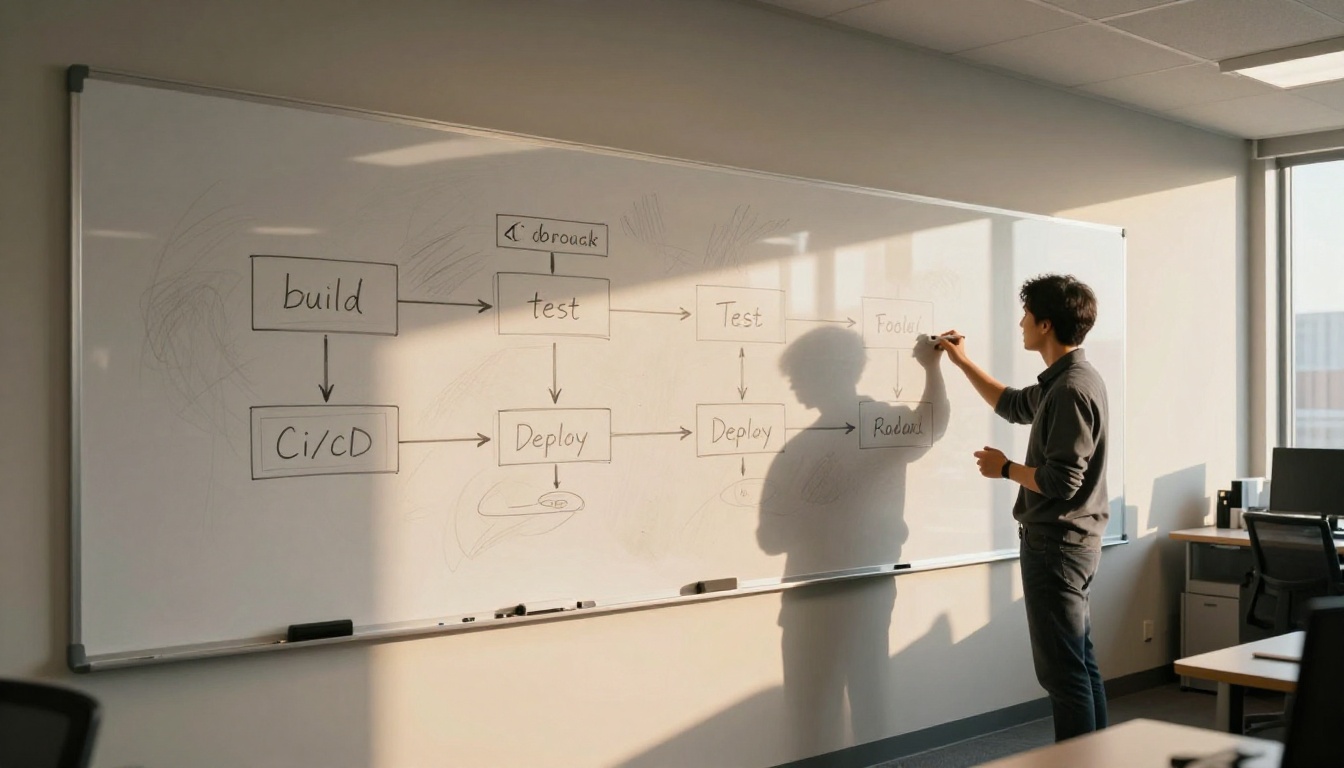
The most consistent ROI from GPT-5.6 in a team environment comes from running it at pull request open time. A CI job that:
...does not replace human review. It means that by the time a human reviewer opens the PR, the mechanical issues are already identified. The reviewer's attention can go to judgment calls that require human context: business logic validity, architectural tradeoffs, and long-term maintainability concerns.
The implementation is around 80-100 lines of code depending on your CI system. The time investment pays back within the first two or three PRs where the automated review catches a real bug before a human had to spot it.
The practical place to start: take a real pull request from your current sprint. Send its diff plus the affected files to GPT 5.6 Sol with a focused review prompt. Compare what it surfaces against what your team's human reviewers caught. That single experiment will tell you more about the actual return than any benchmark.
If you want to go further, the GPT 5 Pro model on PicassoIA includes extended reasoning chains that are useful for architectural decisions where you want to trace the model's reasoning before trusting its output. For teams working across multiple programming languages in the same repo, Claude Opus 4.7 handles polyglot codebases with notably strong consistency across languages.
Building a productive workflow with GPT-5.6 on a real codebase takes a week or two of iteration. The patterns described here are the ones that survived contact with actual production conditions. Pick the one that addresses your team's most consistent pain point, run it for a week, and measure the output quality against your baseline. That feedback loop is what separates genuine workflow improvement from tool adoption theater.
Head over to PicassoIA and run your first real-codebase prompt today. The models are waiting, and your next pull request is the perfect proving ground.