You hit Queue on a workflow, and a laptop GPU that was never built for this starts crawling through the sampler. That is the moment most people open a pricing page. Two names come up first: RunPod, which rents you a raw GPU by the hour, and Comfy Cloud, the hosted version of ComfyUI that charges only for the seconds your workflow actually runs. On a pricing page they look close. On a monthly invoice they behave very differently.
This breakdown puts real numbers on both. You get hourly rates, the storage fees that sneak in, three usage levels with monthly totals, a break-even point, and a plain rule for choosing. Near the end there is a third path for anyone who wants the images and videos without the infrastructure.
💡 Prices below were checked in 2026 and they move often. Treat them as planning numbers and confirm on each provider's pricing page before you commit money.
What You Actually Pay For
Both services run ComfyUI on a datacenter GPU. The difference is what you are billed for, and that single choice shapes everything else in this comparison.
RunPod Rents You a Machine
On RunPod you launch a pod, which is a container attached to a GPU you pick. You start from a ComfyUI template, put your models on a disk, open the web interface and work. The meter runs for as long as the pod is switched on, whether a sampler is busy or you are staring at a node and deciding where to wire a LoRA.
There are two tiers. Community Cloud is cheaper and runs on hardware from independent hosts. Secure Cloud runs in managed datacenters and costs more. Reported 2026 rates for an RTX 4090 with 24 GB of VRAM sit around $0.34 per hour on Community and $0.74 per hour on Secure. Bigger cards climb fast: an A100 80 GB PCIe lands near $1.59 per hour and an H100 80 GB PCIe near $2.89 per hour. Serverless endpoints exist too, but they are priced for API traffic (an RTX 4090 is quoted around $1.10 per hour), not for sitting in a node editor.
Comfy Cloud Bills Only Runtime
Comfy Cloud is the hosted version of ComfyUI. You open a browser tab, load a workflow and press run. No pod, no template, no terminal. It runs on Blackwell RTX 6000 Pro GPUs with 96 GB of VRAM and ships with 900+ models pre-installed.
The billing model is the interesting part. You buy a monthly pool of credits, and credits are spent per second of active GPU time. Editing a workflow costs nothing, because no GPU is working while you edit.

| RunPod | Comfy Cloud |
|---|
| What you get | A rented GPU in a container | Hosted ComfyUI in a browser tab |
| Billing unit | Per hour while the pod runs, idle time included | Credits per second of active GPU time |
| Entry cost | About $0.34 per hour (Community RTX 4090) | Free tier with 400 credits, then $20 per month |
| Typical GPU | RTX 4090 24 GB up to H100 80 GB | RTX 6000 Pro class, 96 GB |
| Models | You install and store them | 900+ pre-installed |
| First launch | Template, then model downloads | Open a tab and run |
Real Prices Side by Side
Hourly Rates and Monthly Plans
Here are both price lists in one place. RunPod first, using the rates reported in 2026:
| GPU on RunPod | VRAM | Reported rate |
|---|
| RTX 4090 | 24 GB | $0.34 per hour (Community) to $0.74 per hour (Secure) |
| A100 PCIe | 80 GB | About $1.59 per hour |
| H100 PCIe | 80 GB | About $2.89 per hour |
And the Comfy Cloud plans:
| Comfy Cloud plan | Price | Credits per month |
|---|
| Free | $0 | 400 |
| Standard | $20 per month ($16 billed yearly) | 4,200 |
| Creator | $35 per month ($28 billed yearly) | 7,400, plus your own models |
| Pro | $100 per month | Larger pool |
| Enterprise | Quote on request | Custom |
The GPUs are not the same, so the comparison needs care. A 24 GB RTX 4090 handles SDXL and most image work well. Large video models and big batches want 48 to 80 GB, which on RunPod means an A100 or H100 at roughly two to four times the Secure 4090 price. Comfy Cloud runs on 96 GB cards, so for heavy models the fair opponent is the A100 line, not the 4090 line.
The Storage Line Item
This is the cost most first-time renters miss. RunPod charges $0.07 per GB per month for a network volume (the first terabyte, then $0.05). A volume disk tied to a pod runs about $0.10 per GB per month while the pod is on and $0.20 while it is idle.
A realistic ComfyUI library holds a few Flux Dev class checkpoints, SDXL files, LoRAs, VAEs, text encoders and one video model. That passes 100 GB quickly. At 100 GB, the volume costs $7 per month, and you pay it even in months when you never launch a pod. Skip the volume and you re-download tens of gigabytes every session while the GPU meter is already running.
Comfy Cloud ships the common models pre-installed, so most of this line item disappears. Check what each plan allows for your own uploads before you assume it disappears entirely. Creator is the tier that advertises bringing your own models.
Monthly Cost at Three Usage Levels
Assumptions for the math below: an RTX 4090 at $0.74 per hour (Secure) or $0.34 per hour (Community), storage at $0.07 per GB, and the Comfy Cloud plan that fits the usage. "Hours" on RunPod means pod hours, idle time included.
Weekend Tinkerer: 6 Hours
Six pod hours per month, 40 GB of models.
- Secure: 6 x $0.74 = $4.44, plus $2.80 storage = $7.24
- Community: 6 x $0.34 = $2.04, plus $2.80 storage = $4.84
The Comfy Cloud free tier with 400 credits is worth trying first. Paying $20 for Standard would be more than this workload needs. RunPod or the free tier wins.
Regular Creator: 30 Hours
Thirty pod hours per month, 100 GB of models.
- Secure: 30 x $0.74 = $22.20, plus $7 storage = $29.20
- Community: 30 x $0.34 = $10.20, plus $7 storage = $17.20
Standard at $20 lands between the two RunPod tiers. If the 4,200 credits stretch across your real workload, Comfy Cloud beats Secure and loses narrowly to Community. Test it with the free credits before you pay.
Heavy User: 120 Hours
About 5.5 hours per workday, 200 GB of models.
- Secure 4090: 120 x $0.74 = $88.80, plus $14 storage = $102.80
- Community 4090: 120 x $0.34 = $40.80, plus $14 storage = $54.80
- A100 for big models: 120 x $1.59 = $190.80, plus $14 storage = $204.80
Pro at $100 costs about half of the A100 bill and sits close to Secure 4090 money, with a much bigger GPU. Community stays cheapest on paper, but only for the 24 GB card; large models still push you into the A100 line.
| Usage | RunPod Secure | RunPod Community | Comfy Cloud |
|---|
| 6 hours, 40 GB | $7.24 | $4.84 | Free tier, or $20 |
| 30 hours, 100 GB | $29.20 | $17.20 | $20 (Standard) |
| 120 hours, 200 GB | $102.80 | $54.80 | $100 (Pro) |
💡 Break-even rule: with a 100 GB volume, Standard at $20 beats Secure RunPod once you pass roughly 17 pod hours per month ((20 - 7) / 0.74), and beats Community around 38 hours ((20 - 7) / 0.34). That assumes the credits stretch across your runs, so measure before you trust it.

The Idle Time Trap
Why Your Hourly Rate Lies
A pod bills for the hour, but you do not generate for the whole hour. You wire nodes, swap a checkpoint, fix a broken connection, answer a message, make tea. Say you are generating 35% of the time. Then a $0.74 hour really costs $2.11 per hour of actual generation ($0.74 / 0.35). On Community the same math gives about $0.97.
Turn it into images. If one 1024 x 1024 image takes roughly 15 seconds on a 4090 (a planning number, your workflow will differ), an hour of pure generation yields about 240 images. At full utilization that is $0.003 per image. At 35% utilization it is $0.009 per image, nearly triple.
Comfy Cloud flips this. Because editing is free and only active GPU seconds consume credits, the tinkering hours are not on the bill. For people who spend most of a session building and adjusting, this one structural difference matters more than any listed price.
Cutting Idle Spend on RunPod
RunPod stays cheap if you manage the meter. These habits work:
- Build small, render big. Design the workflow on a cheap GPU or locally, then switch to the large card for the batch.
- Keep a network volume. Stop the pod when you step away; the models stay put and the GPU meter stops.
- Save a template. A pod that boots with your nodes and paths already set avoids repeating the setup every session.
- Queue in batches. Line up 50 to 200 jobs and let them run while you do something else.
- Use Community for experiments. Move to Secure only for client work that cannot be interrupted.

Setup, Models and Custom Nodes
RunPod Gives Full Control
A pod is your own machine. Install any custom node, any Python package, any model from anywhere, pin versions that you trust, and run odd workflows that nobody else supports. That freedom is the whole reason RunPod exists.
It also means you maintain it. A custom node update breaks a dependency, a template ships an older ComfyUI, a model path is wrong, and the fix happens on your clock. People who enjoy this stay happy. People who only want results lose evenings to it.
Comfy Cloud Skips the Chores
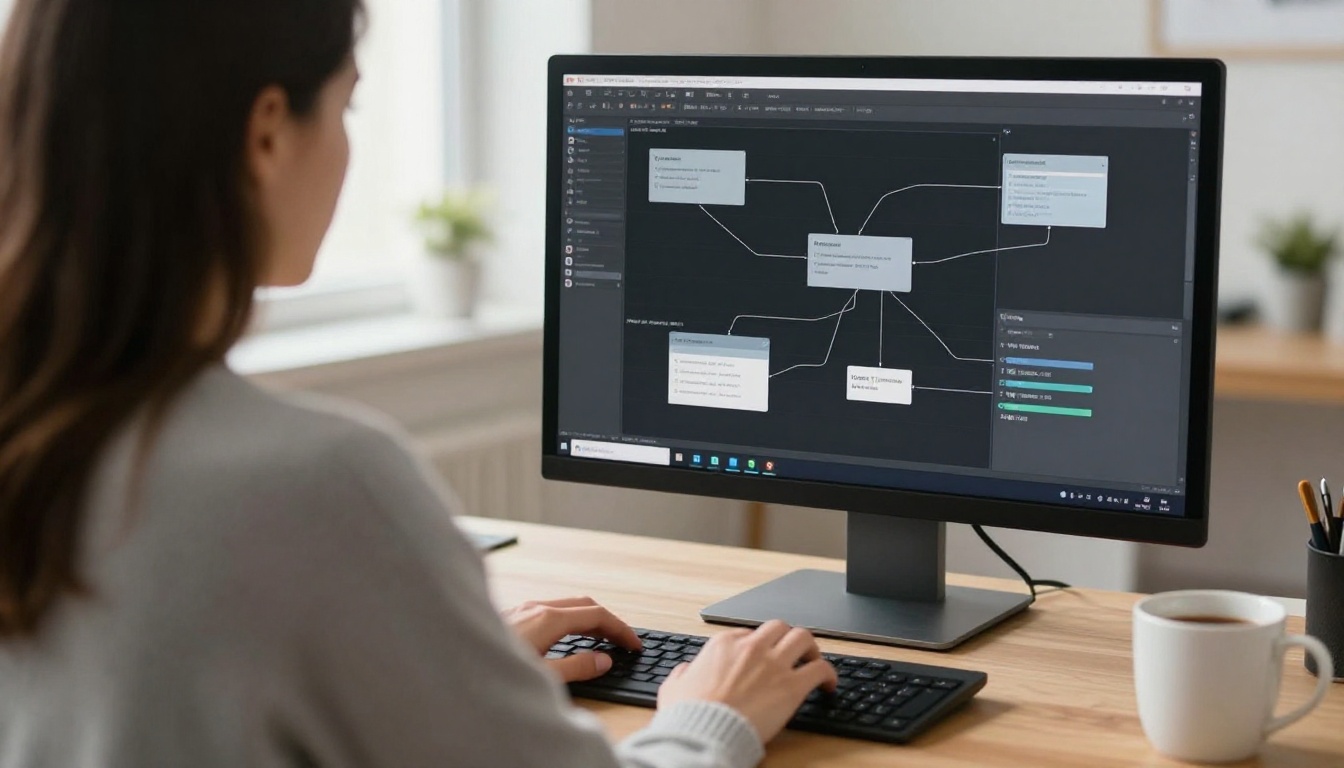
Nothing to install, nothing to update, no terminal. The workflow you open already has its models. You load a graph, press run, and download results. That is why it suits designers, marketers and anyone who inherited a workflow from a colleague and just needs it to run.
The trade-off is flexibility. You work inside what the service supports. If a workflow depends on a rare custom node or an unusual model, confirm support before paying, because a missing node is a blocker that no price cut fixes.
Which One Fits Your Workflow
Choose RunPod When
- You run more than about 40 hours a month and keep pods lean.
- Your workflow needs custom nodes or models that a hosted service will not carry.
- You want an API endpoint or an always-available worker for an app.
- You are comfortable with Linux paths, templates and the occasional broken dependency.
- You can use Community hardware for experiments and save on the bill.
Choose Comfy Cloud When
- You spend most of your time building workflows and little of it rendering.
- You want to be running in seconds, from any device, with no setup.
- Your workflows need a large VRAM card and you do not want to rent an A100.
- You use ComfyUI a few times a week and want a predictable monthly price.
- You share workflows with people who will never touch a terminal.

Teams sit in the middle. One engineer can keep a RunPod pod template as the shared production environment, while everyone else prototypes on Comfy Cloud, which keeps the expensive meter away from the exploratory hours.

Skip the GPU With PicassoIA
Here is the question worth asking before you pay anyone: do you need ComfyUI, or do you need the images? Many people built a workflow because it was the only route to a certain model. If your graph is a text prompt in and a picture out, a hosted model does the same job with no pod, no volume and no meter to watch.
The models people usually load into ComfyUI are already on PicassoIA:
Prompt writing has support too: the platform includes Large Language Models for drafting and refining prompts, listed at picassoia.com/en/all-models.
Where Hosted Models Fall Short
Be honest about the limits. A hosted model does not run an arbitrary node graph. If your pipeline chains six custom nodes, a face-restoration step and a bespoke upscaler, you still need ComfyUI running somewhere, and the RunPod versus Comfy Cloud question above still applies.
How to Use Flux on PicassoIA
A quick path from idea to image with Flux Dev:
- Open the model page and write one clear prompt: subject, setting, light and lens. Example: "Close-up of a graphics card on an oak desk, morning window light, 85mm lens, shallow depth of field."
- Pick the aspect ratio for the use. 16:9 suits blog banners, 1:1 suits avatars, 9:16 suits stories.
- Draft fast. Run the idea through Flux Schnell first, then send the winning prompt to Flux Dev for the final image.
- Change one thing at a time. Adjust a single phrase between generations so you can see what moved the result. If the page exposes a seed, hold it steady while you iterate.
- Edit instead of rerolling. Fix a detail with Flux Kontext Dev or repaint an area with Flux Fill Dev.
- Animate the best frame. Send the finished image to Wan 2.2 I2V Fast to get a short clip.

Try Your First Image Today
The cheapest option is the one that matches how you actually work. Heavy, steady, technical users usually save money on RunPod, as long as they watch the meter. Builders who tinker more than they render usually save on Comfy Cloud, because editing is free. And people who just need great pictures and clips can skip both and pay for nothing but the output.
Pick one test and run it this week. Open the Comfy Cloud free tier and time a real workflow, or launch a Community pod and note your pod hours against your generation hours. Then open PicassoIA, type the same prompt into Flux Dev, and compare the result, the time and the cost. Create your own images with Picasso IA and let the numbers decide.


