If you upload videos to YouTube, you have probably run into the copyright wall at some point. A track that sounded perfect gets flagged three hours after publishing. Revenue gets claimed by a label you have never heard of. The audio gets muted, you strip it, re-upload, and wait. It is a miserable loop, and it is completely avoidable now that AI music generation tools like Stable Audio 2.5 can produce original soundtracks from a single text prompt.

What Stable Audio 2.5 Actually Is
Stable Audio 2.5 is an AI music generation model created by Stability AI. It takes a text prompt and produces a full-length audio track with timing, structure, and instrument layering that sounds genuinely musical. It is not a loop stacker or a preset mixer. It writes original compositions from scratch based on what you describe.
The model supports durations up to 3 minutes per generation, which covers most YouTube intro music, background underscores, and transition stingers. You describe tempo, mood, genre, and instrumentation in plain English, and the model handles the rest.
What the Model Was Trained On
Stability AI trained the model on licensed audio data, which means the outputs are not derivative of copyrighted tracks the way a sampler would be. What comes out is genuinely new audio. That matters for YouTube creators because Content ID cannot match something that has never existed before.
How It Compares to Library Tracks
| Feature | Stable Audio 2.5 | Standard Library Tracks |
|---|
| Royalty-free | Yes, always | Usually (per license terms) |
| Customizable to mood | Full control via prompt | Limited to catalog search |
| Matches exact duration | Yes, set before generating | Requires manual editing |
| Content ID risk | None | Possible |
| Cost per track | Free or low-cost | Subscription or per-track fee |

The Copyright Problem Most Creators Ignore
Every YouTube creator deals with music the same way at first. They find a track they love, drop it into the video, and publish. Then one of three things happens: the video gets flagged and monetization goes to the rights holder, the audio gets blocked in certain countries, or the creator pays for a royalty-free subscription and spends hours searching for something that fits the video without sounding like stock music.
How Copyright Claims Actually Work
YouTube's Content ID system scans every second of uploaded audio against a database of registered tracks. It does not care whether you bought a license. The original rights holder still gets to choose what happens to your video: block it, monetize it themselves, or let it through under conditions.
A license from a third-party royalty-free site does not override what the actual rights holder decides. The safest audio on YouTube is audio that does not exist in Content ID's database at all. That is exactly what AI-generated music provides.

The Real Cost of Royalty-Free Libraries
Subscription services like Epidemic Sound, Artlist, and Musicbed cost between $10 and $50 per month. They provide good music, but you are renting access. If you stop paying, you may lose the right to use tracks in existing videos, depending on the license terms. For new creators or channels still finding an audience, that recurring cost adds up fast without a clear return.
💡 A single AI-generated track takes 10 to 30 seconds to produce and costs a fraction of a monthly subscription. You own it permanently.
Using Stable Audio 2.5 on PicassoIA
PicassoIA hosts Stable Audio 2.5 directly in its platform. You do not need a Stability AI account, an API key, or any technical configuration. Open the model page, write a prompt, and generate.
Step-by-Step: Your First Track
Step 1. Go to Stable Audio 2.5 on PicassoIA and open the generation interface.
Step 2. In the prompt field, describe the music you want. Be specific about three things: the genre, the mood, and the energy level.
Step 3. Set the duration. For YouTube intros, 30 to 60 seconds is typical. For background music under a tutorial or vlog, aim for 90 to 180 seconds.
Step 4. Generate. The model returns a result in 15 to 40 seconds.
Step 5. Listen. If it is not quite right, adjust the prompt and regenerate. There is no limit to experimenting.
Step 6. Download the audio file and import it into your video editor.
Writing Prompts That Actually Work
Most creators write weak prompts on their first try. "Upbeat background music" produces something generic. The model responds far better to specificity.
| Weak Prompt | Strong Prompt |
|---|
| "Chill music for YouTube" | "Lo-fi piano with soft vinyl crackle, 75 BPM, melancholic but warm, no vocals, 90 seconds" |
| "Epic gaming music" | "Orchestral action theme with heavy brass and snare rolls, 140 BPM, cinematic tension build, rising to a climactic peak at 45 seconds" |
| "Happy travel vlog music" | "Acoustic guitar fingerpicking with light percussion, sunny morning mood, 95 BPM, no vocals, gentle fade-out at the end" |
💡 Include BPM, instruments, mood adjectives, and duration in every prompt. The more detail you give, the closer the output lands on the first try.
Parameters That Actually Matter
Stable Audio 2.5 gives you control over more than just the prompt text. The key parameters to know:
- Duration: 10 seconds to 3 minutes. Set this before generating.
- Steps: Higher step counts produce more refined output but take longer. Start at the default and increase only if the quality is not satisfying.
- Seed: Lock a seed to generate variations on a track you almost like, keeping the same structural foundation while adjusting small elements.
Best Music Styles by Video Type
Not every YouTube niche needs the same sound. AI music generation lets you match audio to exactly what the video requires instead of compromising on something close enough from a catalog.
For Travel and Lifestyle Vlogs
Travel content works best with music that feels open and slightly nostalgic. Think acoustic instruments, minimal production, and tempos between 85 and 100 BPM. The music should not compete with the ambient sound of the location.
Prompt template: Fingerpicked acoustic guitar with subtle cajon percussion, open countryside feeling, 88 BPM, warm afternoon mood, 2 minutes, no vocals, gentle fade

For Gaming and Tech Videos
Gaming content often needs two types of music: high-energy tracks for montages and highlights, and tense atmospheric music for suspense sequences. AI handles both because you specify the exact emotional register you need.
High-energy prompt: Fast-paced electronic drum and bass with heavy synth bass, 155 BPM, aggressive and energetic, 60-second loop with consistent intensity
Ambient prompt: Dark atmospheric synth pads, slow evolving textures, minimal rhythm, eerie and focused, 120 seconds

For Educational and Tutorial Content
Tutorial videos need music that stays completely out of the way. The moment a viewer starts processing the music instead of the content, the track has failed its job.
Prompt template: Soft lo-fi piano with light static, minimal arrangement, 70 BPM, studious concentration mood, 3 minutes, no build or drop

For Documentary and Short Film
Documentary content requires music with a narrative arc. The track needs to evolve over time. AI music generation handles this with prompts that describe progression explicitly.
Prompt template: Sparse solo piano building slowly over 2 minutes into a full string quartet arrangement, emotionally weighted, cinematic pacing, no drums, crescendo at 1:45
What the Output Actually Sounds Like
The most common question about AI music generation is whether it sounds real. The honest answer: it depends heavily on the genre. Stable Audio 2.5 performs strongest in electronic genres, lo-fi, cinematic orchestral, and ambient. It performs adequately in acoustic folk and jazz but can introduce subtle artifacts on complex chord voicings.
Genres Where It Excels
- Electronic: house, ambient techno, synthwave, drum and bass
- Cinematic: orchestral scoring, tension music, action themes
- Lo-fi: study beats, chill hip-hop, vinyl aesthetics
- Acoustic: simple fingerpicked guitar, solo piano ballads
- Experimental: sound design, textural ambience, drone music
Looping Without It Sounding Obvious
For videos longer than 3 minutes, you will need to loop a track or generate multiple segments. Looping works best when you prompt for a track "with a consistent repeating structure" and ensure the end of the track resolves cleanly before looping back.
💡 Generate two versions of the same prompt with different seeds, then crossfade between them in your editor. This creates the impression of continuous original music without the loop becoming noticeable.
Other AI Music Models on PicassoIA
PicassoIA hosts several music generation models beyond Stable Audio 2.5. Each has different strengths worth testing depending on what your channel needs most.
Minimax Music 2.6 generates full songs including vocals and structured lyrics. If your YouTube channel needs original songs rather than instrumentals, this is the right model. It supports custom lyrics and produces complete tracks with verse-chorus structure.
Google Lyria 3 Pro is built for high-fidelity music production. It delivers noticeably cleaner results at the high end, particularly for orchestral and acoustic genres. It is the strongest option when audio quality is the primary concern.
Google Lyria 3 offers similar quality to Lyria 3 Pro at a slightly faster generation speed. A solid default for creators who want consistent quality without a longer wait.
Minimax Music 2.5 handles vocal song creation with strong lyric adherence. Ideal for channels that want branded intro jingles or music that carries consistent vocal identity across videos.
ElevenLabs Music integrates naturally with ElevenLabs voice synthesis tools. If you are already using ElevenLabs for voiceovers, this model lets you produce music within the same workflow.
AI Music Combined with AI Voiceovers
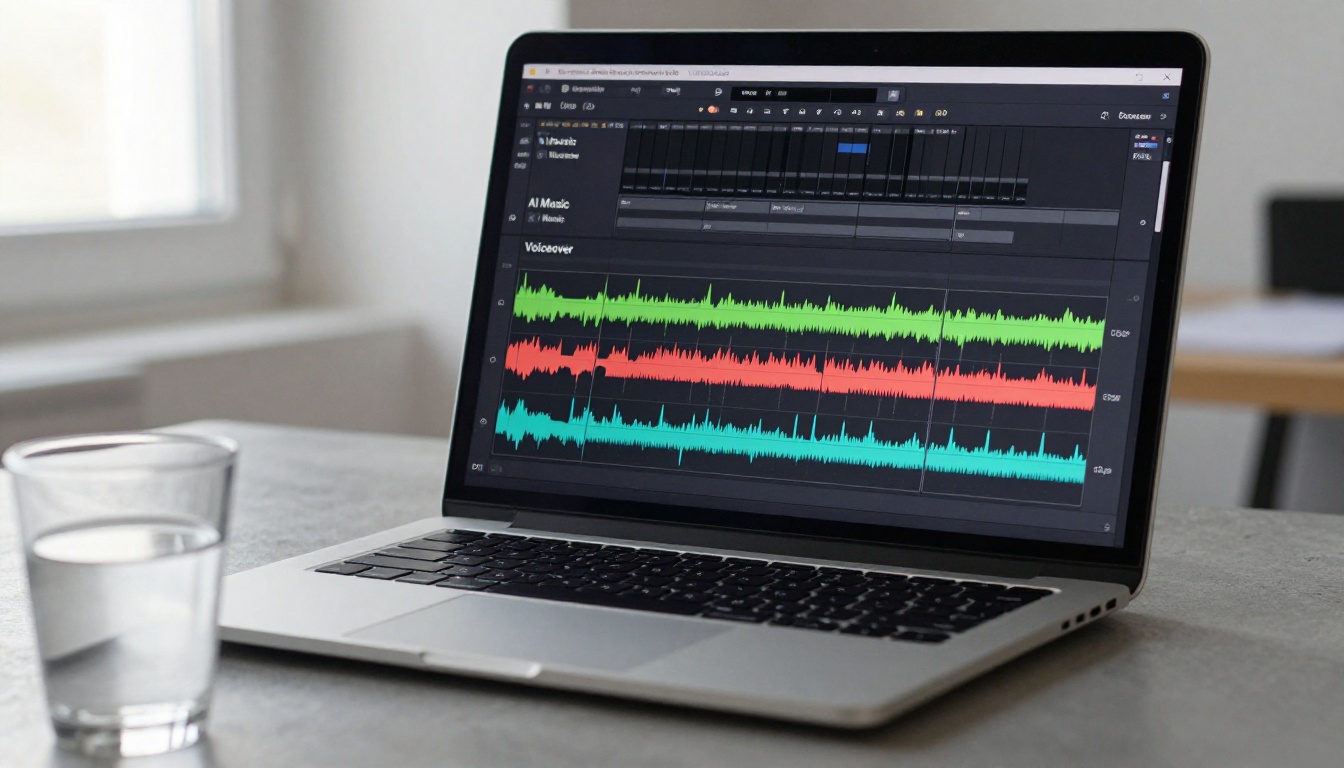
The most efficient YouTube production workflow right now combines AI music generation with AI text-to-speech for narration. Write a script, generate a voiceover, generate background music, layer them in your editor, and export. No recording booth, no music licensing, no catalog searching.
Text-to-Speech Models That Work
Minimax Speech 2.8 HD produces studio-quality voiceovers with natural pacing and intonation. It handles long-form narration without the robotic cadence that plagues many text-to-speech systems, making it a reliable choice for tutorial and documentary-style content.
ElevenLabs V3 is the strongest option for expressive voice delivery. If the script includes emotional range, strategic pauses, or conversational phrasing, V3 handles the nuance better than most alternatives available today.
Getting the Volume Balance Right
The most common mistake when combining AI music with voiceovers is volume balance. Music that sits too high competes with the voice and causes listener fatigue. A practical starting point for any project:
- Voiceover: 0 dB (reference level)
- Background music under voice: -18 dB to -24 dB
- Music during intro or outro with no voice: -6 dB to -10 dB
Use volume automation or a sidechain compressor in your editor to duck the music automatically whenever the voiceover is active. DaVinci Resolve, Premiere Pro, and CapCut all have this built in.
💡 Export your voice and music tracks at the same bit rate. A 320kbps voice over a 128kbps music file creates audible imbalance. Match both at 320kbps or use WAV for both.
A Complete AI Audio Workflow
Here is what a full YouTube video audio build looks like using PicassoIA from start to finish:
- Write the script in any text editor.
- Generate the voiceover using Minimax Speech 2.8 HD or ElevenLabs V3. Download as MP3 or WAV.
- Generate intro music with Stable Audio 2.5 using a short energetic prompt (15 to 30 seconds).
- Generate background music with a calm, consistent prompt matching the topic (90 to 180 seconds).
- Generate outro music that resolves the mood (30 seconds, ending with a fade).
- Import everything into your editor. Stack the tracks, balance volumes, and add ducking.
- Export and publish.
Total time for the audio production phase: 15 to 20 minutes. Total cost: significantly less than a monthly subscription to any major royalty-free library, with no ongoing payments required.
Start Creating Your Own Soundtracks
If you have been working around the YouTube copyright system with free library tracks or expensive subscriptions, Stable Audio 2.5 removes the constraint entirely. Every track you generate is original, does not exist in any Content ID database, and is permanently yours to use across any video you publish.
The platform is open now. Go to the Stable Audio 2.5 model page on PicassoIA, write a prompt describing the sound your next video needs, and see what comes back in under a minute.
For channels that need full songs with vocals, Minimax Music 2.6 and Google Lyria 3 Pro are available on the same platform with no additional setup. For voiceovers to pair with the music, Minimax Speech 2.8 HD and ElevenLabs V3 are ready whenever you need them.
Your soundtrack is waiting. You just have to describe it.


