Ask five vendors what a virtual try on costs and you get five different answers, because each one bills a different unit: credits, views, tokens, calls or monthly seats. A headline like "$0.039 per image" tells you very little until you know what counts as a billable image, how many reruns each shopper triggers, and whether you are dressing a person in a jacket or fitting a pair of frames on a face. This page puts the published numbers for clothes, glasses and Gemini side by side, then turns them into monthly budgets you can check against your own traffic.
Prices below come from vendor pages and price trackers read in early October. Providers change rates often, so confirm every figure on the vendor's own page before you commit.
What You Actually Pay For

Every try on API charges for a "result", but each vendor defines that word differently. Three billing units show up again and again, and mixing them up is the fastest way to misjudge a quote.
One Try On, Three Billing Units
- Per image: Google's Vertex AI try on model lists $0.060 per image, and Gemini 2.5 Flash Image lists $0.039 per image.
- Per unit or credit: Perfect Corp's clothes try on API spends 2 units per generated result, and a unit costs $0.048 on the monthly plan or $0.055 on pay as you go.
- Per view or seat: AR glasses vendors sell a monthly plan with a ceiling on views and on products, known as SKUs.
💡 Ask whether failed or filtered runs consume units. An API call, a unit, a generation and a finished result are four different things, and only one of them is what your shopper actually sees.
Why Reruns Change the Math
Shoppers do not accept the first render every time. A sleeve that sits wrong, a pose that hides the garment or a photo with poor lighting sends people back for a second try. Plan for 20 to 30 percent extra generations on top of the try ons you show. That figure is a planning assumption, not a vendor number, so replace it with your own after a week of real traffic.
Clothes Try On API Prices
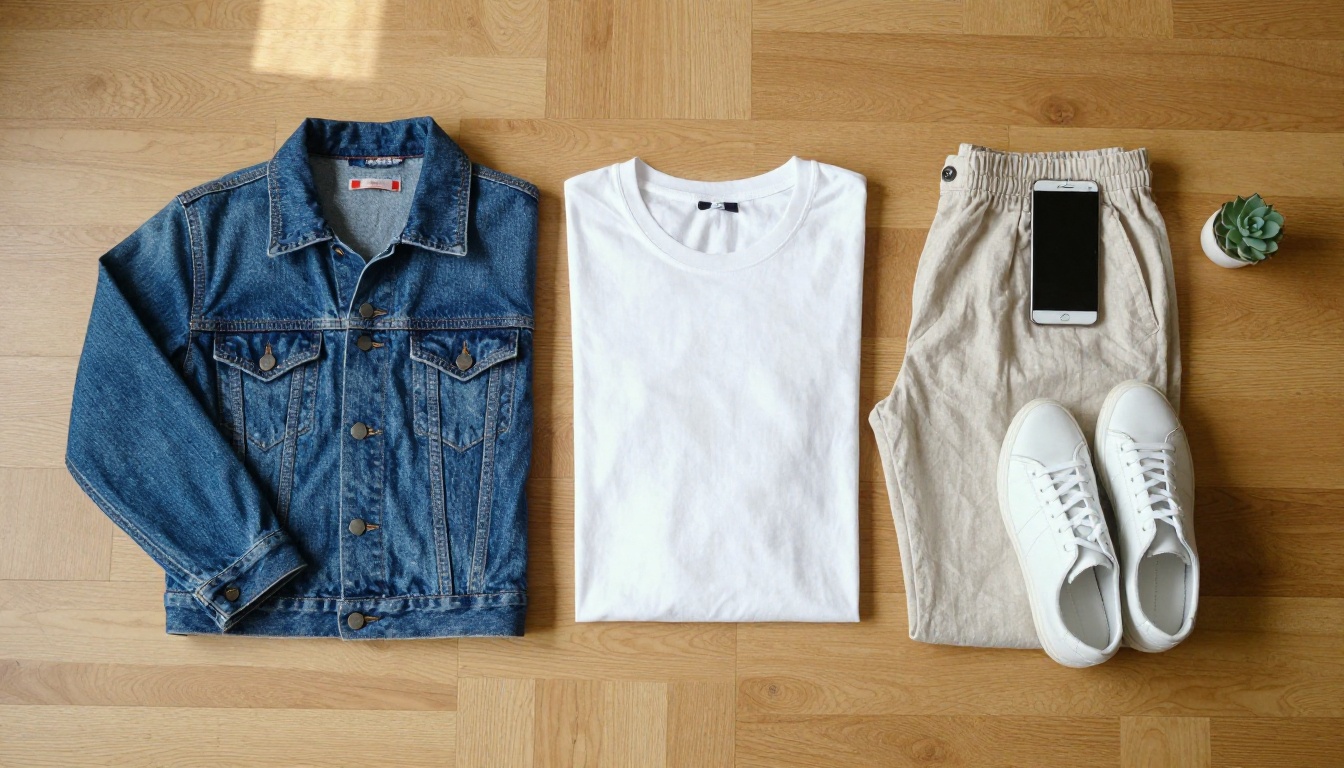
Here are the listed rates for clothes, converted to a cost per 1,000 try ons so the rows compare cleanly.
| Provider | What is billed | Listed price | Per 1,000 try ons |
|---|
| Gemini 2.5 Flash Image | Per generated image | $0.039 | $39 |
| Google Vertex AI Virtual Try-On | Per image | $0.060 | $60 |
| Pixazo (hosted Google try on) | Per try on image | $0.063 | $63 |
| Perfect Corp, monthly plan | 2 units per result | about $0.096 | about $96 |
| Perfect Corp, pay as you go | 2 units per result | $0.11 | $110 |
| Nano Banana Pro, 1K or 2K | Per generated image | $0.134 | $134 |
The cheapest row and the most expensive row differ by a factor of about 3.4, but the rows are not the same product. Gemini and Nano Banana Pro are general image models that you steer with a prompt. Google's model, Pixazo's hosted copy of it and Perfect Corp's API are built for one job: keep the person, change the garment.
Google Virtual Try On at $0.06

Vertex AI's virtual try on model takes a person photo and product photos and returns up to four outputs per prompt, as PNG or JPEG. Pixazo hosts the same Google model at $0.063 per try on image, about a 5 percent markup over the Vertex list price. Its page lists person and garment photos of up to 7 MB each, one garment per call, output at the resolution of the person image, and about 80 seconds end to end (98 seconds at the 95th percentile).
That latency matters more than the price. At 80 seconds a run, you queue the job and notify the shopper later. You do not stream the result to someone waiting on a product page.
Perfect Corp Units Explained

Perfect Corp's clothes try on API is priced in units, and each result consumes 2. A free account gets 40 trial units, enough for up to 20 try ons. The $24 monthly plan buys 500 units, or up to 250 try ons, which works out to about $0.096 each. Pay as you go sells the same 500 units for $27.50, about $0.11 per try on. The vendor also cites roughly $0.092 per result at higher volumes.
Validity is the detail people miss. Units from a subscription expire 60 days after you receive them, while pay as you go units last one year.
💡 Seasonal catalog? A spring launch followed by a quiet summer favors pay as you go, because unused units survive for a year instead of 60 days.
One Garment or Six per Call
A per image price is only fair when each image shows the same outfit. Google's hosted model dresses a person in one garment per call, so a three piece outfit built by chaining calls costs about $0.18 at the $0.06 list price. P Image Try On on Picasso IA recommends up to six garment images per run, with eleven supported, so an outfit is one run. Count calls per outfit, not just the price per image.
Why Glasses Cost Differently
Glasses rarely run on a pay per image model. Most vendors sell a live AR try on that tracks the face through the camera, and they bill a monthly plan capped by views and products. Here are the listed plans, with the cost per 1,000 views if you use every view you pay for.
| Vendor and plan | Monthly price | Included | Per 1,000 views at full use |
|---|
| GlamAR Starter | $250 | 10,000 views, 50 SKUs | $25.00 |
| GlamAR Growth | $350 | 50,000 views, 100 SKUs | $7.00 |
| GlamAR Scale | $450 | 100,000 views, 500 SKUs | $4.50 |
| Touchtry EyeFit | $199 | 20,000 AR views, 300 SKUs | $9.95 |
| Dimenso Try on Premium | $49 | 1,000 real time try ons | $49.00 |
Two more pricing shapes are worth knowing. Dimenso also offers a free plan with up to 100 real time try ons a month, and lists additional per product and per try on costs next to its plans. Geenee charges $99 a month with 5 free generated 3D model sessions, then $4.50 per session, so you pay to build each frame model rather than to view it.
Why Plan Size Beats Unit Price

A $250 plan costs $0.025 per view only if shoppers use all 10,000 views. At 2,000 real views the same plan costs $0.125 per view. Product limits bite just as hard: a catalog of 300 frames cannot live on a 50 SKU plan, however cheap the views look. Size the plan on the number of frames you sell first and the views you actually get second.
Glasses Try On With Gemini
A generative route skips the 3D model. Send a customer selfie and a product photo of the frames to Gemini 2.5 Flash Image and ask it to put the frames on the face. At $0.039 per image that is cheaper than a lightly used AR plan, and no per frame 3D work is needed.
The trade is real, though. You get a still image, not a live view, and the model interprets frame size and fit instead of measuring them. Use it to show style, and keep fit claims such as "will these sit right on my face" for tools that measure.
Where Gemini Fits In
Gemini shows up in three places in a try on pipeline: as a cheap image generator, as a premium one and as the text model that prepares inputs.
Gemini 2.5 Flash Image Math
Google lists $30 per 1 million output tokens, which works out to $0.039 per generated image, or roughly 1,300 output tokens per image. Input is listed at $0.30 per 1 million tokens. Hosts differ: price trackers list $0.040 per image on Replicate and $0.020 per image on Fal for 1024 by 1024 output. The model accepts reference images and offers portrait ratios such as 3:4 and 4:5, which suit product photos.
Nano Banana Pro for Hero Shots
Nano Banana Pro, built on Gemini 3 Pro Image, lists $0.134 per image at 1K or 2K and $0.24 at 4K. Some trackers add about $0.067 per uploaded reference image, which would lift a person photo plus a garment photo from $0.134 to roughly $0.268 per render. Its model page on Picasso IA lists up to 14 reference images and 1K, 2K and 4K output.
Use it for campaign visuals, where one render serves thousands of visitors, and leave the per shopper traffic to the cheaper rows in the table.
Gemini as the Text Layer
Gemini also sits on the language side of the pipeline. Gemini 3.5 Flash can read a product page and return garment tags, alt text and a short line for the experimental prompt field in P Image Try On, such as "the green t-shirt from image 1 and the trousers from image 2". Run it once per catalog item and store the result, instead of once per shopper.
A Monthly Budget at Three Volumes

The table multiplies each listed rate by the number of try ons shown. It uses flat rates, so volume discounts and free tiers are left out.
| Provider | 1,000 try ons | 10,000 try ons | 100,000 try ons |
|---|
| Gemini 2.5 Flash Image | $39 | $390 | $3,900 |
| Google Vertex AI Virtual Try-On | $60 | $600 | $6,000 |
| Pixazo hosted try on | $63 | $630 | $6,300 |
| Perfect Corp, monthly plan rate | $96 | $960 | $9,600 |
| Perfect Corp, pay as you go | $110 | $1,100 | $11,000 |
| Nano Banana Pro, 1K or 2K | $134 | $1,340 | $13,400 |
Add the Rerun Allowance
Take 10,000 try ons shown with 25 percent reruns: that is 12,500 generations. At the Vertex list price the bill moves from $600 to $750. At Gemini 2.5 Flash Image rates it moves from $390 to $487.50. The allowance adds more dollars to the expensive rows, so a high price per image compounds with a high rerun rate.
Storage and Bandwidth Extras
The API fee is only part of the bill. Results need storage, a CDN, a queue for slow runs and some moderation. At roughly 300 KB per JPG, 10,000 results take about 3 GB, which is small next to the API line. Egress is the line that can surprise you, so object storage with no egress fees, such as Cloudflare R2, keeps it close to zero.
How to Use P Image Try On

Picasso IA hosts P Image Try On, a clothing try on model that keeps the original face, pose and body shape while it swaps the garments. These are the steps and the parameters that matter.
- Open the P Image Try On page on Picasso IA.
- Upload the person image. This field is required, and a sharp, evenly lit photo gives the model the most to work with.
- Add garment images. The model page recommends up to six per run and supports up to eleven. Flat lay shots of tops, bottoms and accessories are the safest input.
- Decide on turbo. It runs faster with extra optimizations and is not recommended above four garments.
- Set the output: JPG, WebP or PNG, with quality from 0 to 100 (95 by default). Preserve input size is on by default and returns the original resolution.
- For a garment photo that is not a flat lay, fill the experimental prompt field to name the piece, or add an experimental reference pose image to repose the person first. The reference pose can fail for some seeds.
- Run it, compare the results, and set a seed when you want to reproduce one.
💡 Example runs on the model page take anywhere from about 3 seconds to roughly 3 minutes. If you build a batch pipeline around it, plan for that spread instead of the fast end.
Need a programmatic route? The Picasso IA developer API at api.picassoia.com/v1 uses Replicate style endpoints: create a prediction, poll it, then fetch the result, with bearer authentication and up to 5 concurrent predictions per account. It lists four models, including PicassoIA Image Editor Pro, which takes up to three reference images. Its model page shows the prompt "Dress the model in image 1 with the clothes from image 2 and the hat from image 3." and describes edits in the browser as unlimited, with no per edit cap. Check the current API terms on the pricing page before you budget around it.
Picking a Provider by Volume
Under 1,000 Try Ons a Month
At this size the invoice is small: $39 to $134 per 1,000 clothes try ons in the table above. Choose on fit quality, not price. Perfect Corp's 40 free trial units (up to 20 try ons) and Dimenso's free plan of 100 real time glasses try ons let you test without paying.
Around 10,000 Try Ons
Clothes try ons run from $390 to $1,340 at flat rates, and the rerun allowance adds a quarter on top. For glasses, GlamAR's $250 Starter plan includes exactly 10,000 views, but only for 50 SKUs, so your frame count decides whether it fits.
100,000 and Up
At this scale, glasses AR on GlamAR's $450 Scale plan works out to $4.50 per 1,000 views, against $3,900 for 100,000 generated images from Gemini 2.5 Flash Image, about 8.7 times less. Clothes cost real money here ($3,900 to $13,400 at flat rates), so ask vendors for volume quotes and run a bake off: 200 real catalog items through each candidate, counting how many results your team would publish untouched.
Try It Yourself on Picasso IA
Pick one person photo and one jacket. Run the pair through P Image Try On, then run the same pair through Gemini 2.5 Flash Image and PicassoIA Image Editor Pro, and put the three results side by side. In ten minutes you will know which model keeps faces, fabric and fit closest to your product, and that answer should drive your vendor choice more than a few cents per image. When you want more options, browse every model at picassoia.com/en/all-models and build the outfit you had in mind.


